YouTube Music Playlist Manager app icon

Desktop playlist utility

YouTube Music Playlist Manager

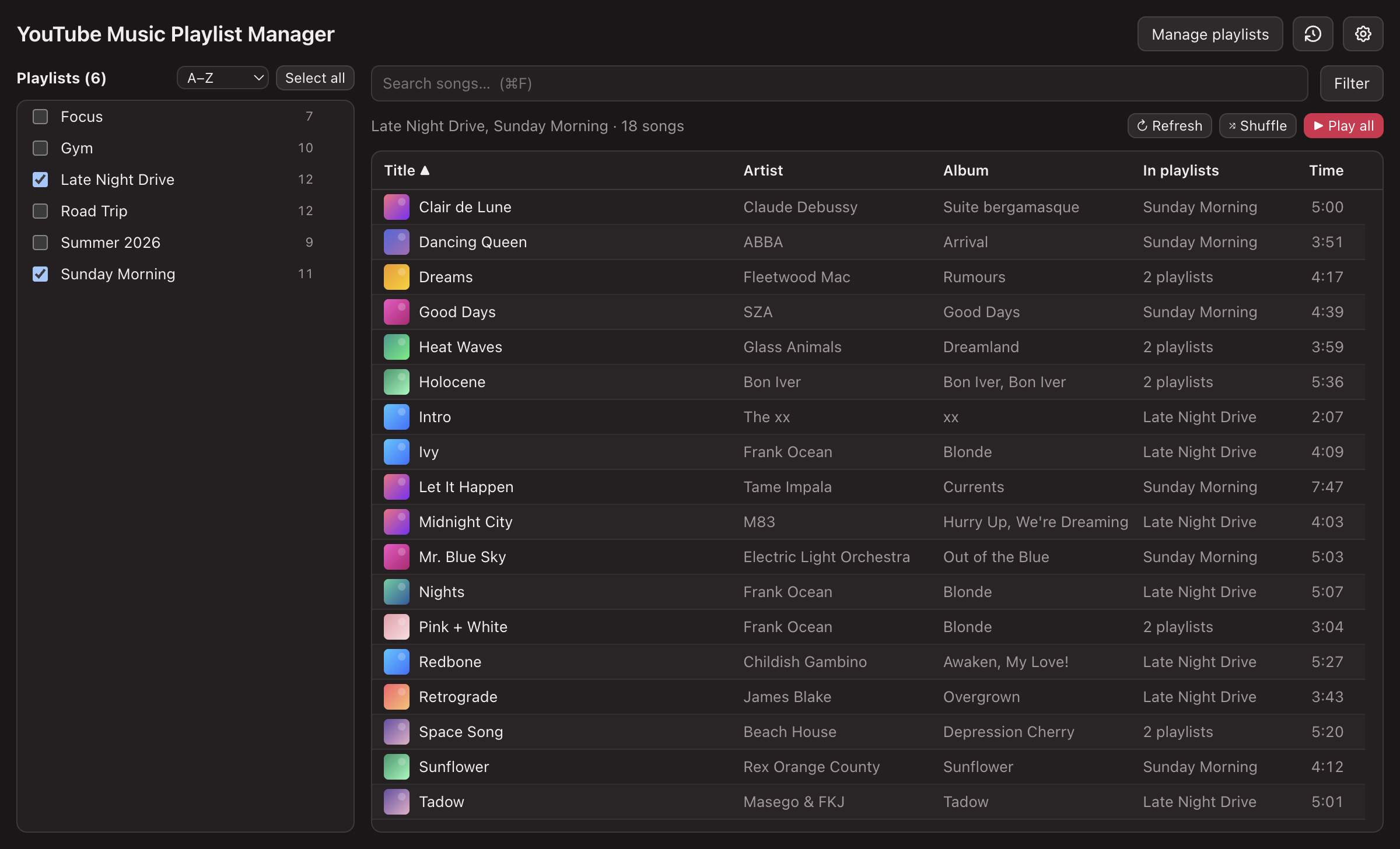
Combine selected playlists, search across saved libraries, find duplicates, and inspect song details across the playlists you actually want to manage.

Checking latest release...

What It Does

  • Imports public YouTube Music and Spotify playlist URLs.
  • Shows combined song lists from selected playlists with sorting and search.
  • Finds duplicate songs across selected playlists, including repeats inside one playlist.

Install Notes

  1. Download the latest .dmg.
  2. Open the .dmg and drag YouTube Music Manager to your Applications folder.
  3. The app isn't notarized by Apple, so macOS blocks it on first launch. To fix: double-click the app once (it gets blocked), then open System Settings → Privacy & Security, scroll to the Security section, and click Open Anyway next to "YouTube Music Manager."
  4. Alternatively, clear the quarantine flag in Terminal, then open it normally:
    xattr -dr com.apple.quarantine "/Applications/YouTube Music Manager.app"
Need Windows, Linux, or the older Python app?

The native macOS app is the main download. Legacy Tk/Python builds are available as alternatives; the packaged archives should not require a separate Python install. If you run from source instead, install Python 3.10+ first.